


If you own a business or work as a marketing manager, you may be considering digital marketing more seriously. Maybe you want to start diving deeper into your audience analytics; maybe you feel that you are ready to start running ads; maybe you’ve even hired a consultant to help guide your way. Whatever your digital marketing goals, if you don’t already use Meta Business Suite, this is your sign to start. In this article, we’ll be diving into what it is, what you can use it for and, finally, how to set up your Meta Business Suite.
What is Meta Business Suite?
Meta Business Suite is a space set up by Meta where you can monitor and run all of your marketing and social media operations for Facebook, Instagram and Whatsapp. You can use Meta Business Suite in your browser, or download the desktop or mobile app. Its main purpose is to keep you connected with your customers and community in one centralised location. It is also widely used to monitor and optimise your marketing and advertising efforts in real time.
Key features of Meta Business Suite
We know, we know. That’s all a bit vague. Let’s get into exactly what you can use Meta Business Suite for:
- Publish and schedule posts on Facebook and Instagram - You can do this directly from Meta Business Suite, scheduling posts, stories and reels in advance. You can also cross-post to both platforms at the same time.
- Reply to comments and DMs - All comments and DMs are displayed in a single inbox where you can work through them more methodically.
- Boost posts and create ads - Find new customers and get more engagement from your community with campaign and audience tools.
- Monitor your analytics - Keep track of your insights and trends, as well as your audience, in real time, to optimise future ads and content.
- Keep productive with your own business dashboard - Your Activity tab can show you your performance at a quick glance, as well as highlight to-dos and content recommendations.
- Add Partners - This is the function that allows you to work with digital marketing service providers. You can add performance marketers, social media managers, consultants and more, so that they can add their expertise to your strategy. Check out our guide to find out more about working with Partners in Meta Business Suite.
Setting up Meta Business Suite e
It’s as easy as signing up and logging in! All you need to do is make sure you have a Facebook page for your business. Let’s dive in.
Step 1 - Visit business.facebook.com, or download the Meta Business Suite app for iOS or Android.
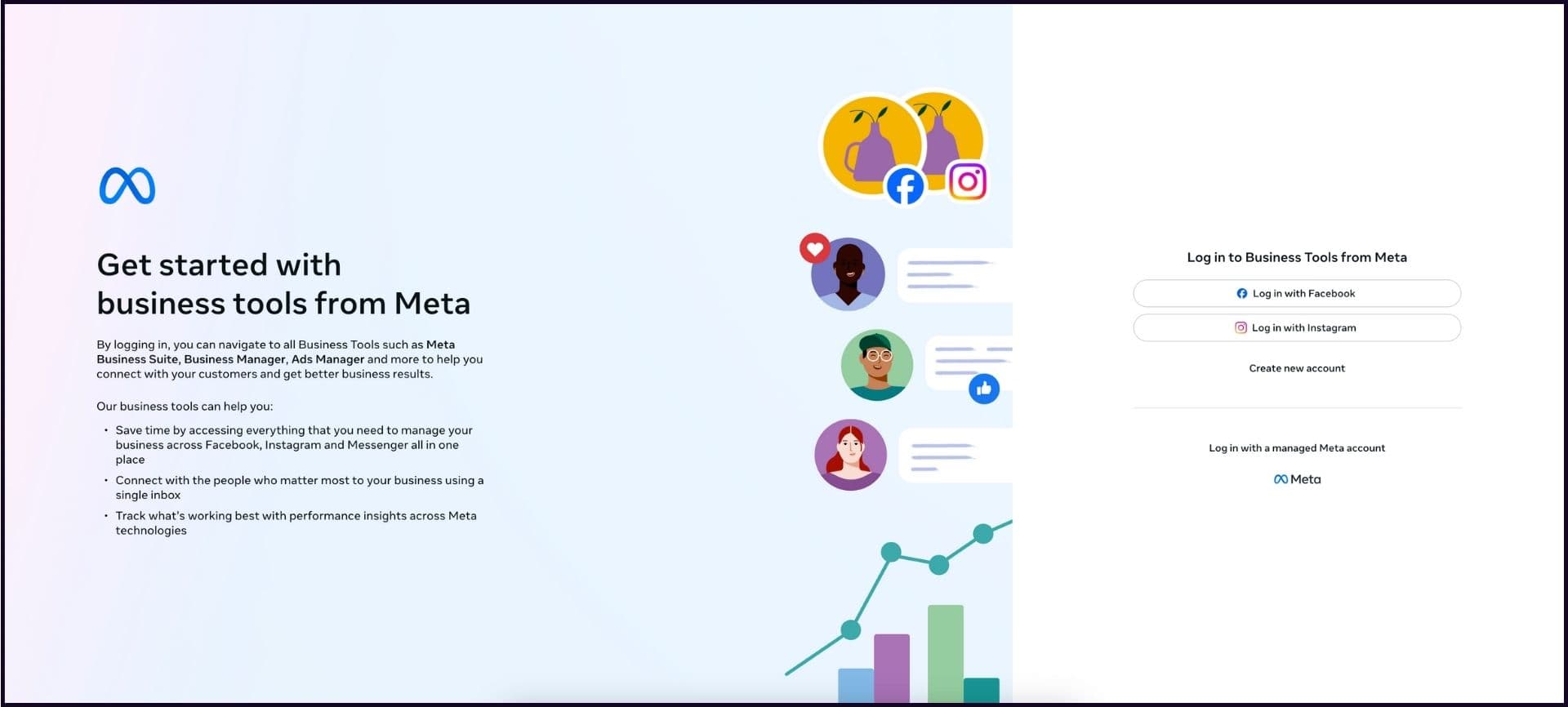
Step 2 - Tap/Click on Create new account.
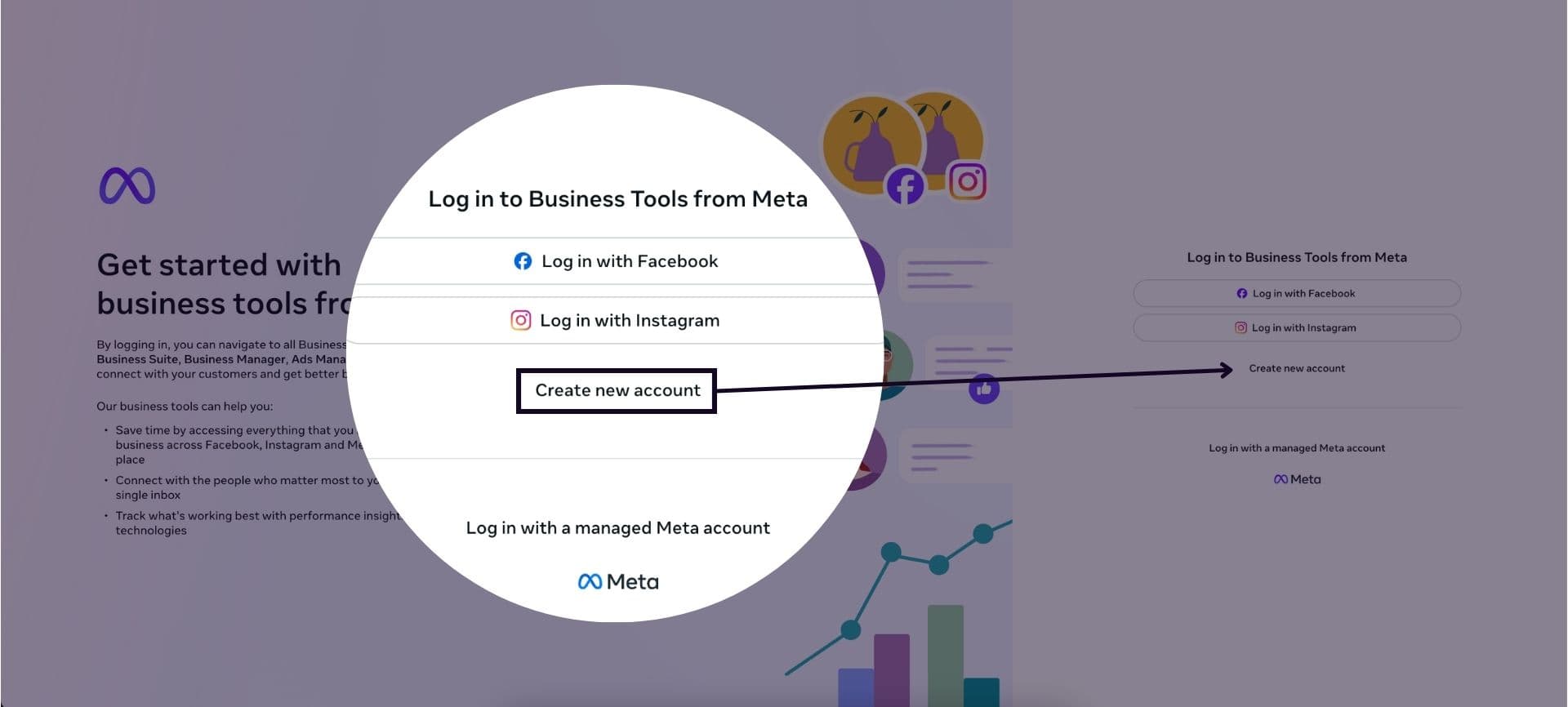
Step 3 - Select Log in with Facebook and enter your details.
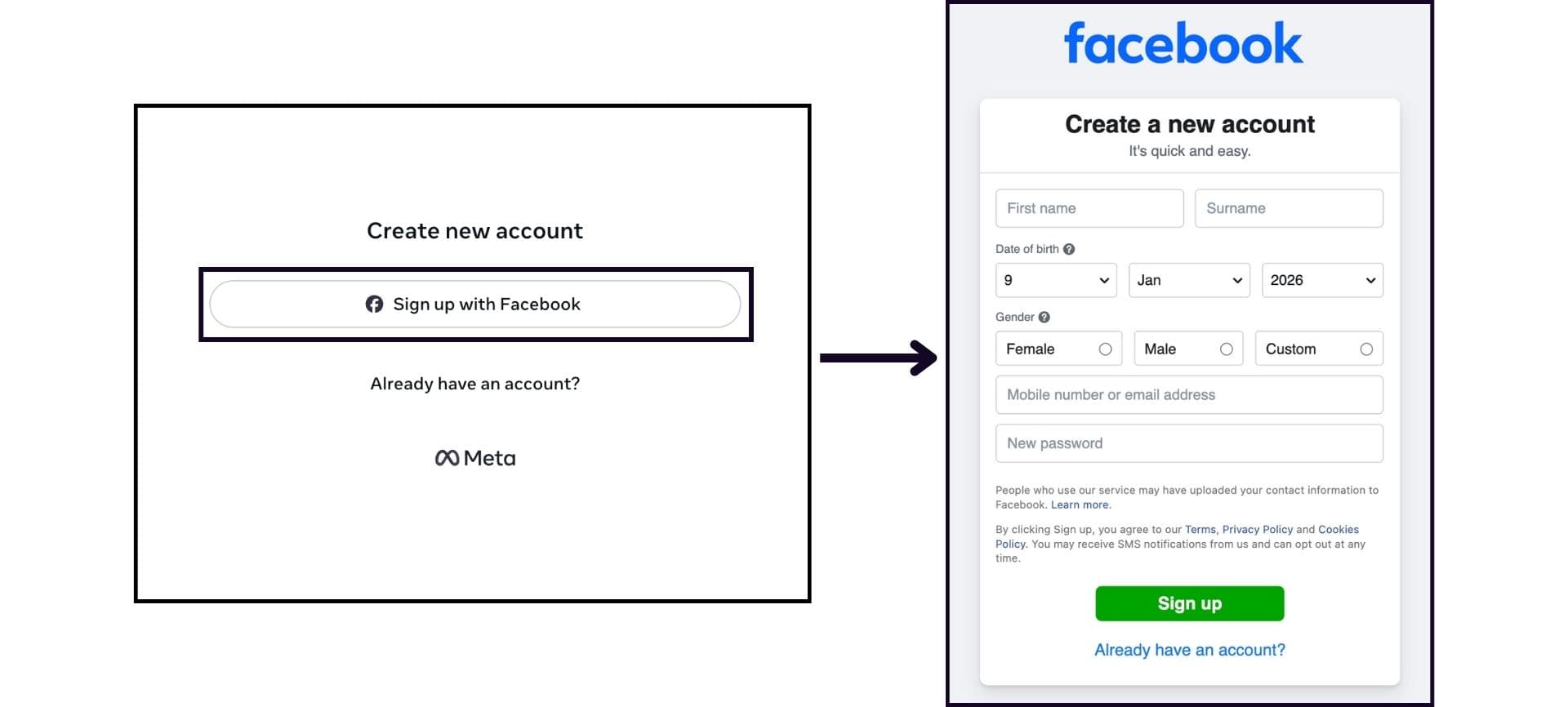
Now you're ready to explore all the tools Meta Business Suite has to offer, including working with collaborators and service providers in one cohesive space. If you’d like to know more about what Meta Business Suite can do for your digital marketing goals, don’t hesitate to get in touch to discuss our consulting, performance marketing and social media management services.